Building Deep Dives with Drew started with a fairly familiar question: What do I want this website to look like?
I wanted personality, go figure. The logo and colors are here to inspire feelings from the mid-to-late 1990s through the early 2000s, when I was growing up. Nostalgia is what fueled the layout. I wanted you a visitor to feel like you were invited into a blog that reflected me, and maybe even you.
The electricity required to deliver that experience to you was hardly my first consideration.
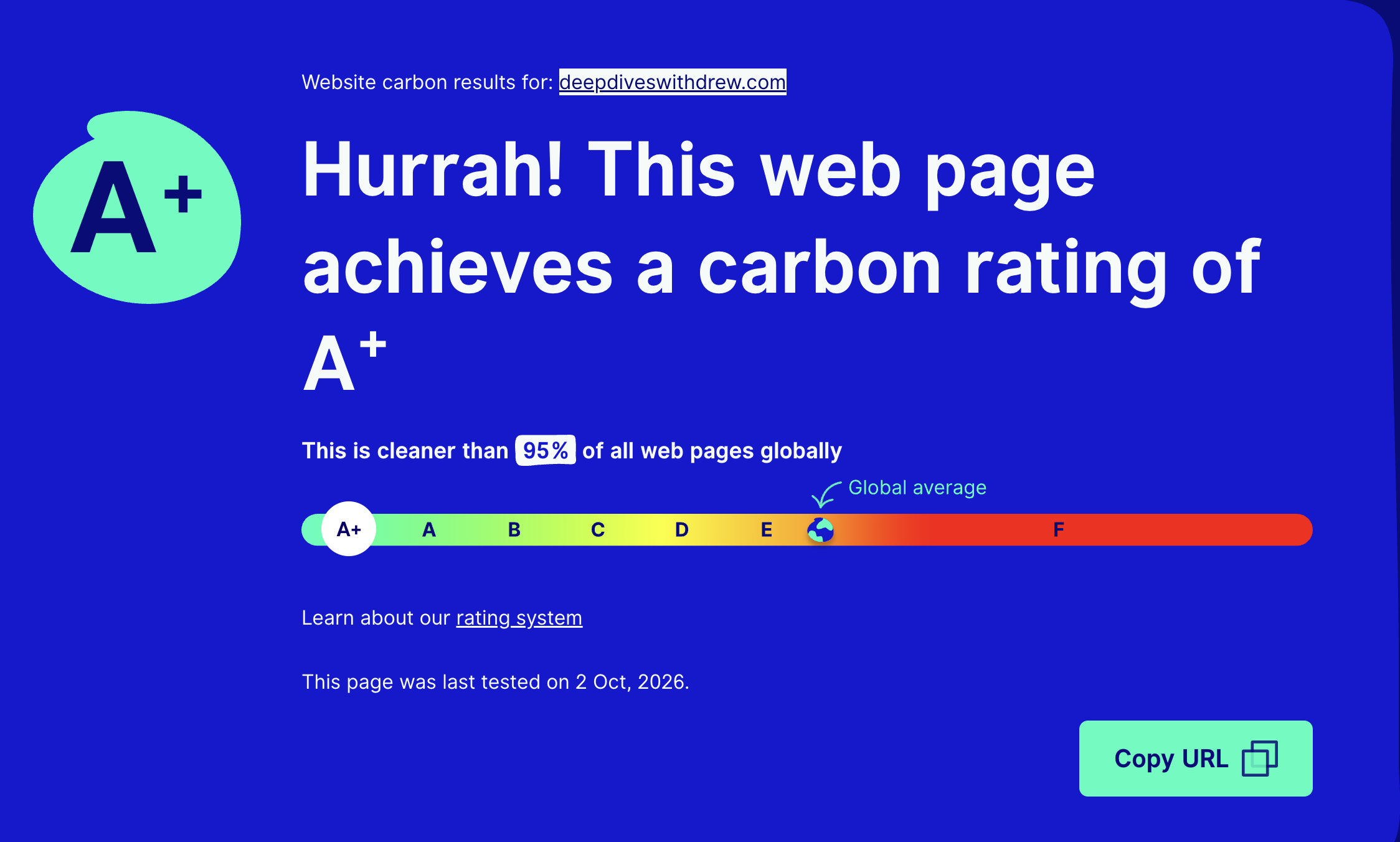
As part of my Strategic Communications course at SUNY Oswego, we were asked to test our homepages using Website Carbon Calculator. This page is but only a few weeks old, but the result was an A+, with the tool reporting that the page was cleaner than 95% of webpages globally.
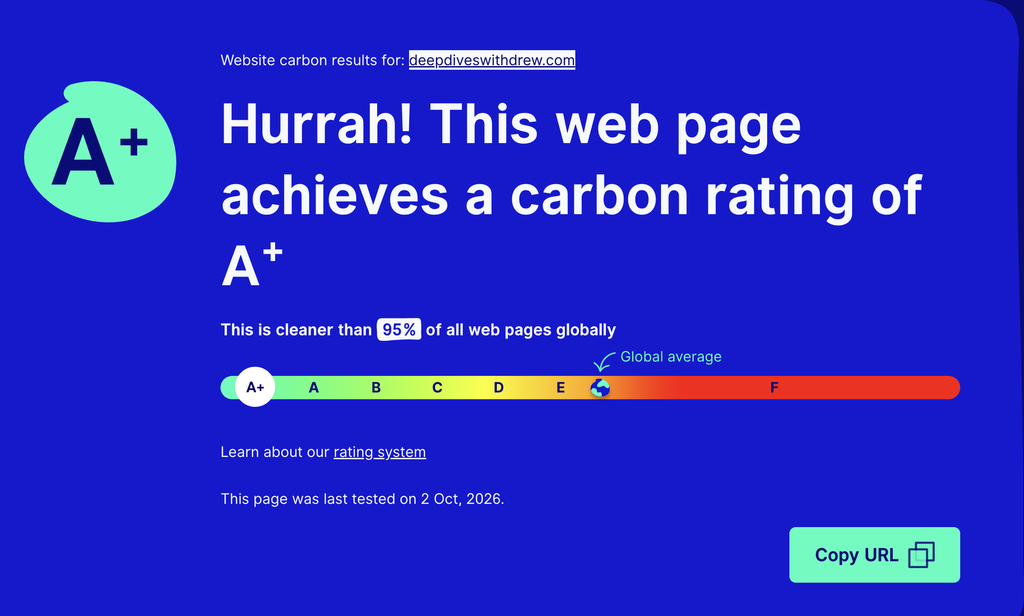
Why did I get this stellar grade? Well, for starters the estimated emissions came out to just 0.03 grams of carbon dioxide equivalent per visit. It was such a small amount that I couldn’t find an accurate (or witty) comparison to how much that is. Sorry!
That was still pretty encouraging, but, there was another part of the report that kind of complicated the picture: The calculator did not identify my hosting as “green.”
Those mixed results then raised a question: What responsibility comes with putting another website on the internet, even a relatively efficient one?
The “cloud” has an address

The internet can feel almost weightless. We open a browser, click a link, and the information we’re looking for (or, sometimes NOT looking for) appears. There is no delivery truck outside our door or stack of paper on our desk.
That makes it easy to overlook the physical systems behind the screen.
In his essay about internet sustainability, Jeff Kettle explains that online activity depends on servers and other infrastructure that require electricity.
Data centers house equipment that stores and processes information, and their much-discussed environmental impact depends partly on how that electricity is generated.
A website like this one might exist digitally, but the equipment supporting it is very much real in many ways, and consumes real resources.
Reading the essay and doing some more research has changed the way I see website building, and even just tossing up a post online. Publishing to “the web” means we’re participating in an infrastructure whose costs are largely invisible to visitors.
Invisible, sure, but those costs deserve consideration alongside the colors and navigation.
What my A+ actually tells me
The Website Carbon Calculator is a helpful tool that estimates emissions associated with loading a webpage. The site’s calculations consider factors including data transfer and the energy used to deliver that data. The result is an estimate instead of a direct measurement of electricity consumed during every visit.
My result provides a useful starting point:
- Carbon rating: A+
- Estimated emissions per visit: 0.03 grams of CO₂ equivalent
- Comparison reported by the calculator: Cleaner than 95% of webpages globally
- Hosting assessment: Green hosting was not identified
Carbon dioxide equivalent, or CO₂e, expresses greenhouse gas emissions in a common unit based on their warming effect. Website Carbon uses “CO₂” as shorthand for CO₂e in its main interface.
I like short videos that explain things to people in ways that I can’t. The below video is a great example of that. (If you’re having trouble viewing the embedded video, you can also click here).
The grade does not establish that my website has no environmental impact. It also does not measure everything I do online, or guarantee that every future post will perform equally well.
I see this result as a baseline, and as the site develops, I can compare later tests with this first assessment and consider what changes I make to the page, and what impact it has.
An A+ is a promising starting point. Keeping the website efficient is an ongoing design decision.
Small numbers still add up
At first glance, 0.03 grams per visit sounds almost too small to discuss.
The annual estimate gives that number some context. Using a hypothetical audience of 10,000 monthly page views, the calculator estimates that the tested page would generate 3.75 kilograms of CO₂e over a year and require approximately 8 kilowatt-hours of energy.
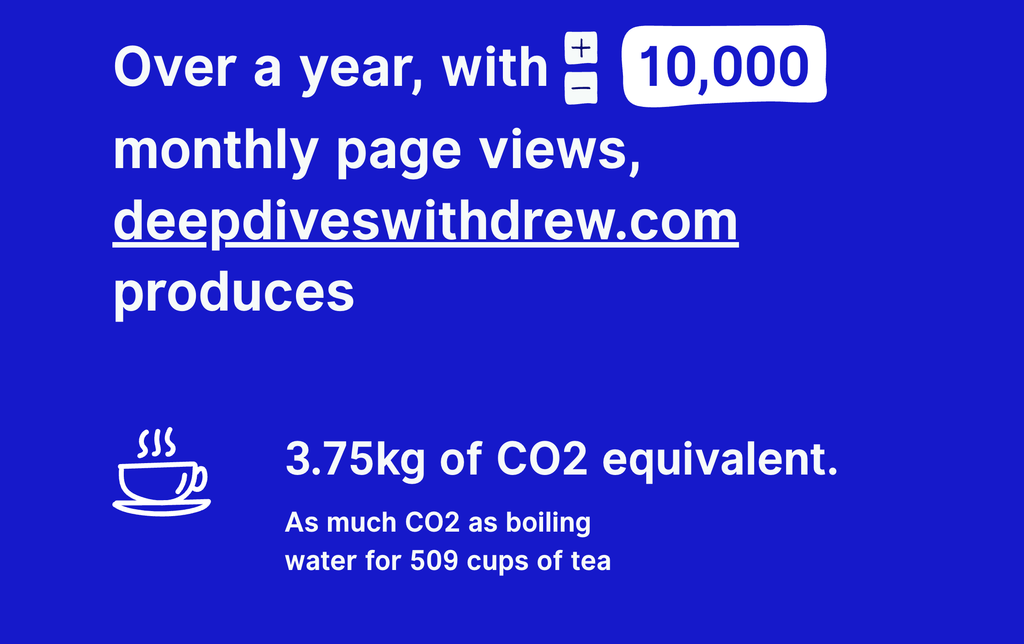
Those are projections based on an assumed level of traffic. They are not measurements of my website’s actual annual emissions.
The calculator makes the energy estimate feel more real by comparing it with the electricity needed to drive an electric car approximately 30 miles.
There is also a small rounding detail worth recognizing. Multiplying the displayed 0.03 grams by 120,000 annual views gives 3.6 kilograms. The calculator’s slightly higher annual figure is consistent with using a more precise underlying estimate.
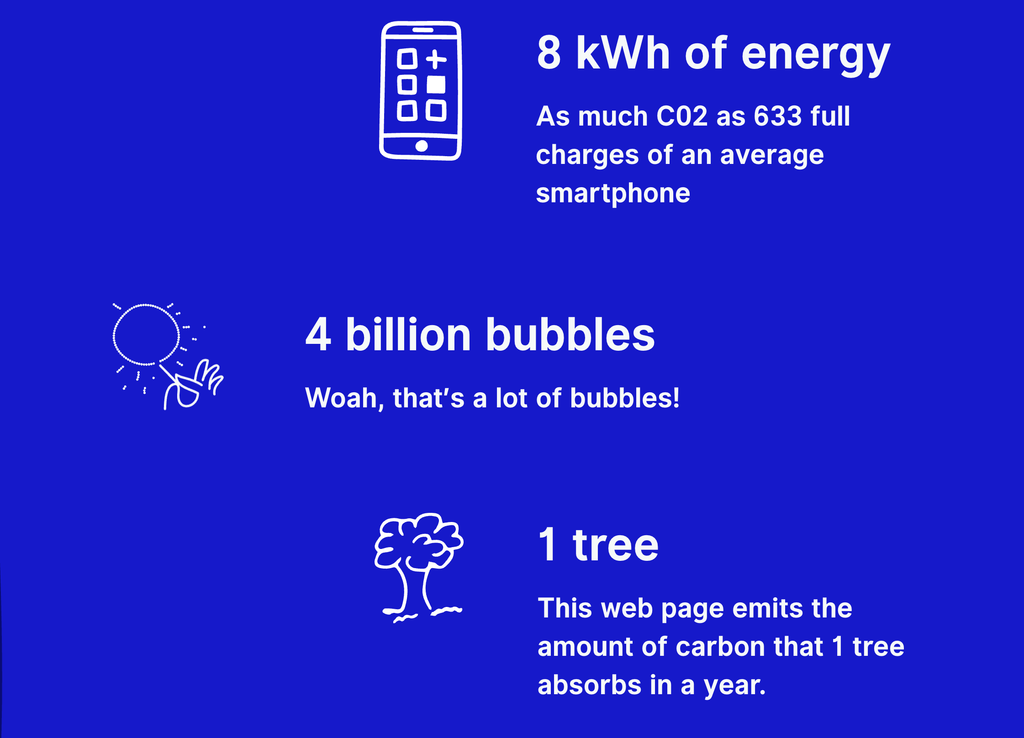
The larger lesson is that a page’s impact depends on how often people load it.
I’d like my page to grow, but I get that it wouldn’t be without consequences…. And apparently a LOT of bubbles.
An efficient page still needs electricity
The hosting result was the part I found especially interesting.
Website Carbon described my page as using “bog standard energy” and estimated that green hosting could reduce its emissions by 9%.
Applied to the calculator’s annual scenario, that would mean approximately 0.34 kilograms less CO₂e, bringing the estimate to about 3.41 kilograms.
That gives me something concrete to look into. We’re using WordPress for the class, but if I want to keep this show going and consder another provider, I would want to understand my current host’s energy sourcing and what evidence supports its environmental claims.
I understand the calculator has its limits, but it’s already been a helpful tool and can help me ask more questions about those other providers.
The A+ and hosting assessment address different parts of the same issue. Keeping a page efficient and examining the energy supporting it are both worth considering.
But personality deserve its time to shine, too!
Back with the Kettle essay, he connects webpage design with energy demand. He points to those fun elements we love like images, videos, and specialized fonts as elements that add data (guilty as charged). He also suggests that reducing those elements could make the internet less engaging.
I’m kind of 50/50 on that.
As a guy with a journalism background, visual storytelling matters. A picture can establish a setting immediately, and video can pick up the pieces for a moment that may be harder to understand without the added context. That being said, not every section needs all the bells and whistles.
I wanted this site to feel like a mix of something familiar, but without being overwhelming. As I was developing the site, I found that many of the WordPress templates felt similar. It’s not a bad thing, but I did find most seemed better suited to a business than an inviting blog.
I knew I wanted nostalgia, and that direction helped me make more consistent choices. The use of color and spacing can contribute to the site’s character without requiring a constant stream of additional media.
Sustainability gives me another reason to be selective about which features actually make “Deep Dives with Drew” actually feel like its by me, Drew.
What I can control
I cannot personally redesign the electrical grid, but I can make thoughtful choices about what visitors need to load.
Website Carbon’s guidance identifies images, videos, custom fonts, and embedded widgets among the elements worth reviewing when reducing a page’s weight.
For this website, that means:
- Prepare images for their purpose. Resize and compress them before uploading.
- Give video a clear role. Include it when it contributes meaningfully, and let visitors choose when to play it.
- Keep the fonts consistent.
- Consider whether each widget provides something readers need.
- Test additional pages. Check content-heavy posts and revisit results after substantial changes.
These commitments give me a more practical way to respond to the assignment. They also encourage me to evaluate a feature beyond its appearance.
This post should practice its own argument
There is a useful tension in writing about digital sustainability while including visual elements. I’ve included some here to “spice things up,” but I’ve tried to keep it to a minimum here.
My calculator screenshot belonged here because its a document of the result readers are being asked to consider. I think it provides evidence over empty space.
These short paragraphs and descriptive headings are helping to organize the argument, too. That highlighted box up there gives readers a central point to remember. The space between these sections are also helping to make the page easier to follow.
Design includes all of those choices.
As Deep Dives with Drew grows, I want it to remain welcoming and recognizable. This assignment has added another question to that process: What does each new feature offer the reader, and what does it require of the environment around us to deliver that?
Sometimes an image or video will earn its place. Sometimes a simpler choice will communicate just as effectively.
My A+ is encouraging. The more lasting benefit is learning to ask that question before the next upload, or the next grade.
Leave a Reply